

Home
Shop

Hot deals just for you this weekend

Automate Your ID Card Creation with Bulk Designing Tools 

Automate Your ID Card Creation with Bulk Designing Tools

Creating ID cards manually can be one of the most time-consuming tasks for any organization. Whether you’re a school issuing thousands of student cards or a company onboarding new employees regularly, traditional designing methods simply don’t keep up.

However, modern bulk ID card designing tools have completely changed the game.

These tools help you design, edit, and generate hundreds—or even thousands—of cards in just a few minutes. In this blog, we’ll break down how these tools work, why organizations are adopting them rapidly, and how Hi Tech Enterprises provides complete printing and ID card solutions to make the process even smoother.

What Are Bulk Designing Tools for ID Cards?

Bulk designing tools are software solutions that allow you to design multiple ID cards at once using templates and data import features. Instead of manually designing each card, you simply upload your data (Name, Photo, Department, Barcode, etc.) and the software automatically creates ready-to-print cards.

These tools are widely used by:

  • Schools & colleges
  • Hospitals & clinics
  • Corporates
  • Government departments
  • Manufacturing industries
  • Security agencies

They help organizations save time, reduce human errors, and ensure consistency across all IDs.

How Do Bulk ID Card Designing Tools Work?
Although each software may vary slightly, the overall working process is simple and user-friendly:

Choose or Create Your Template
Start by selecting a pre-designed card template or create your own layout with elements like photos, text, QR codes, signatures, and barcodes.

Upload Data in Bulk
Import data from Excel, CSV, or your database. Each row in the file becomes one ID card.

Auto-Fill Functionality
The software automatically pulls the data and fills each template with names, photos, roll numbers, employee codes, and more.

Preview & Adjust
You can preview all the cards and make quick edits if needed.

Export or Print Directly
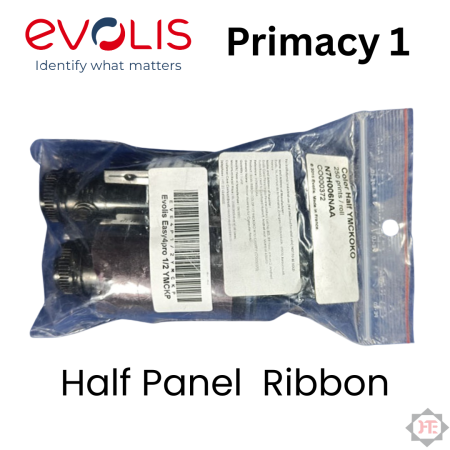
Export them as PDF/JPEG or print directly using ID card printers like Evolis, HID Fargo, Entrust Datacard, or Zebra.

The software handles most of the design work, letting you focus on distribution rather than manual creation.

Specifications & Key Features to Look For

When choosing bulk designing tools, consider these essential features:

✔ Excel/CSV Data Import
Quickly load hundreds of entries at once.

✔ Auto Photo Mapping
Automatically match images to names or IDs.

✔ Barcode & QR Code Generator
Ideal for attendance systems, access control, and library cards.

✔ Customizable Templates
Add your logo, colors, and branding elements.

✔ Duplex (Front & Back) Designing
Design both sides of the card with ease.

✔ Direct Printer Integration
Works with leading brands like Evolis, Fargo, Zebra, and Smart.

✔ Batch Export Options
Save cards individually or in bulk for record-keeping.

✔ Security Features
Holograms, UV elements, signatures, and encoded data support.

These features make bulk creation efficient, secure, and scalable for large organizations.

Benefits of Using Bulk Designing Tools

Bulk designing tools bring a wide range of benefits. Here are the top advantages:

Saves Hours of Manual Work
Instead of designing each card manually, you can generate 500–5,000 cards in minutes.

Reduces Errors
Auto-filled data eliminates spelling mistakes, incorrect photos, and layout inconsistency.

Professional & Consistent Branding
Your cards look uniform and adhere to organization guidelines.

Cost-Efficient
No need to hire a designer or invest in external printing agencies.

Quick Onboarding
Perfect for schools during admissions or companies during mass hiring.

Supports Security Systems
QR codes, barcodes, and magnetic stripes integrate with attendance and access control.

Works with All Major Card Printers
Especially those used by institutions across India, such as Evolis Primacy 2, Fargo HDP, and Datacard SD series.

Industry Uses & Real-World Applications (India Focused)

🎓 Educational Institutions

Schools, junior colleges, engineering colleges, and universities generate student IDs, staff IDs, exam hall entry cards, and library cards.

Example: During admission season, colleges print thousands of ID cards in a short timeline.

🏥 Hospitals & Clinics

Doctor IDs, nurse IDs, patient visitor passes, access control badges.

Example: Multi-specialty hospitals issue temporary visitor cards daily.

🏭 Industries & Factories

Employee codes, safety badges, contractor IDs with color coding.

Example: Manufacturing plants create laminated, heavy-duty cards for workers.

🏛 Government Departments

Municipal workers, metro staff, railway personnel, and police IDs.

Example: Many state departments use bulk tools to redesign their ID formats annually.

🏢 Corporates & IT Companies

Employee onboarding, department-wise badge designs, RFID-based access cards.

Example: IT offices with 500+ staff print fresh cards during role changes.

Frequently Asked Questions (FAQs)

Do bulk designing tools work with all ID card printers?
Yes. Most tools support printers from Evolis, Fargo, Zebra, Entrust, and Smart used widely across India.

Can I import photos automatically?
Absolutely. You can auto-map photos based on file names or ID numbers.

Is it possible to print double-sided cards?
Yes, duplex templates and duplex printers allow front-back printing.

Are these tools suitable for small organizations?
Yes. Even if you need just 50 cards a month, bulk software saves time.

Do we need graphic design skills?
Not at all. The templates and drag-and-drop tools make designing extremely simple.

Conclusion

Bulk ID card designing tools are becoming a necessity for any organization that issues ID cards regularly. They save time, ensure accuracy, and make large-scale card generation smooth and efficient. Combined with high-quality card printers, you can automate almost the entire process.

At Hi Tech Enterprises, we provide:

  • ID card printers
  • PVC cards & ribbons
  • Bulk designing tools
  • Installation support
  • On-site service & AMC

If you’d like a demo or want to set up a complete ID card printing solution for your organization:

👉 Contact Us
Our team will guide you with the best options based on your needs.

Cut Printing Costs by 60% with High Quality Compatible Cartridges

Printing is essential for almost every organization – whether you’re a school printing exam papers, a hospital printing patient reports, or a business generating invoices and documents daily. But one thing everyone struggles with is the high cost of original toner cartridges.

Here’s the good news:
Switching to compatible toner cartridges can reduce your printing expenses by up to 60% without compromising on quality.

In today’s guide, we’ll break down what compatible cartridges are, why they are safe to use, and how they help businesses save money every single month.

What Are Compatible Toner Cartridges?

Compatible cartridges are third-party manufactured toner cartridges that work exactly like original toners made by brands such as HP, Canon, Ricoh, Sharp, Kyocera, and others.

They are not “refilled” or “used” cartridges — they are brand-new products engineered to fit your printer model perfectly.

Because they are produced by independent manufacturers, they cost significantly less, while delivering reliable output.

How Compatible Cartridges Reduce Your Printing Costs by 60%

Let’s break it down in simple numbers.

  • Original Cartridge (OEM): ₹5,000 average
  • Compatible Cartridge: ₹1,800–₹2,300 average

That means:
Savings per cartridge = 55%–65%

If your office uses 10 cartridges per month, you instantly save:
₹30,000–₹35,000 monthly
₹3.6 lakh–₹4.2 lakh yearly

This is why thousands of Indian workplaces have shifted to compatible toner solutions.

Are Compatible Toners Safe for Your Printer?

Yes — if you buy from a trusted supplier.

High-quality compatible cartridges are manufactured with:

  • Premium toner powder
  • Anti-leak seals
  • Reset chips
  • Correct molding for each printer model
  • QC checks for page yield and print density

As a result, they produce the same output quality as OEM cartridges and do not damage the printer — provided you choose the right vendor.

Companies like Hi Tech ensure the cartridges are tested before delivery, so users get both quality and consistency.

Who Should Use Compatible Toner Cartridges?

Compatible cartridges are ideal for:

✔ Schools & Colleges
Daily handouts, reports, and exam papers consume massive toners. Compatible cartridges help reduce recurring costs.

✔ Banks & Corporate Offices
Printing forms, agreements, and statements becomes more cost-effective.

✔ Hospitals & Diagnostic Labs
Patient reports require clean, clear printing — compatible toners deliver professional output.

✔ Government Offices
Compatible cartridges lower tender and project-based printing expenses.

✔ Printing Shops & Service Centers
Bulk printing becomes more profitable with lower operating costs.

Key Benefits of Choosing High-Quality Compatible Cartridges

✔ 1. Massive Cost Savings
The biggest advantage — up to 60% reduction in spend without compromising print quality.

✔ 2. Same Print Quality as OEM

Good compatible cartridges give:

  • Sharp text
  • Dark prints
  • Clear images
  • Consistent density

Most users cannot distinguish between OEM and compatible prints.

✔ 3. Higher Page Yield
Many compatible cartridges offer equal or higher page yield than original toners.

✔ 4. Eco-Friendly Choice
Using compatible cartridges reduces plastic waste and supports recycling efforts.

(Reference: Environmental benefits of remanufacturing — European Toner & Inkjet Remanufacturers Association)
External Source: https://etira.org/

✔ 5. Easy Availability & Fast Delivery
OEM toners are often out of stock; compatible toners are readily available and cost-effective.

✔ 6. Best for Bulk Users
Businesses requiring high-volume prints benefit the most.

How to Choose Good Compatible Toner Cartridges

Not all toners are the same. Before buying, check:

  • Does the supplier provide warranty?
  • Is the page yield clearly mentioned?
  • Do they offer consistent powder density?
  • Is the supplier experienced in office automation?
  • Are other businesses using the same cartridges?

At Hi Tech, every cartridge undergoes quality inspection before dispatch to ensure reliability.

Why Choose Hi Tech for Compatible Cartridges?

Hi Tech Enterprises has been a trusted office automation partner since 2006, serving both government and private sectors with:

  • Photocopiers
  • ID Card Printers
  • Toner Cartridges
  • Projectors
  • Shredders
  • Laptops
  • CCTV Systems
  • Rental & AMC Services

We supply premium grade compatible cartridges for brands like HP, Canon, Ricoh, Sharp, Kyocera, Epson, and more — with guaranteed performance and fast delivery.

If you’d like to inquire or bulk order, you can easily reach us through our internal link:

👉 Contact Us: https://erp.hitechenterprises.in/enquiry/new

Conclusion

Compatible toner cartridges have become the smart choice for Indian businesses that want to reduce printing costs without sacrificing output quality.

By choosing a trusted supplier like Hi Tech Enterprises, you get:

  • Great print quality
  • Lower monthly expenses
  • Reliable and tested cartridges
  • Fast service and support

This small shift in purchasing can help your organization save lakhs of rupees every year.

Currency Counting Machines on Rental in Mumbai Hassle Free & Affordable

Handling cash daily but not ready to invest in a full fledged currency counting setup?
Renting a machine could be your smartest move.

Mumbai being India’s financial hub has thousands of businesses managing large cash transactions every single day. For them, accuracy, speed, and security in cash handling are non-negotiable.

But buying a professional grade currency counting machine can be expensive especially for seasonal or small-scale businesses. That’s where currency counting machine rental services come to the rescue.

In this article, you’ll learn how renting a currency counting machine (CCM) can help you save money, boost accuracy, and simplify your daily operations with flexible, doorstep-ready rental options from Hi Tech.

What is a Currency Counting Machine Rental Service?

currency counting machine rental allows you to use an advanced note counter and fake note detector without purchasing it outright.

Whether it’s a retail store, hospital, or event setup renting lets you access bank grade machines that count and verify notes within seconds.

Why it’s a smart move

  • Ideal for temporary setups (exhibitions, trade fairs, events)
  • Perfect for cost conscious organizations
  • Includes installation, demo, and servicing
  • Replacement provided if any fault occurs

💡 You get full control over your cash handling process without the long-term financial burden of ownership.


How Does CCM Rental Work?

Hi Tech makes the process completely smooth and transparent. Here’s how it works:

  1. Choose Your Model:
    Select a CCM based on your daily note volume, detection needs, and budget.
  2. Select a Rental Plan:
    Pick from short-term or long-term plans available monthly, quarterly, or annually.
  3. Installation & Demo:
    Our team delivers, installs, and provides a quick demo for your staff.
  4. Use Without Worry:
    You focus on counting cash; we handle servicing, calibration, and maintenance.
  5. Upgrade Anytime:
    Want a faster or higher end model? Upgrade easily, anytime during your plan.


Popular CCM Models Available for Rent (Hi Tech)

We provide high-quality, durable, and accurate currency counting machines — trusted by businesses across Maharashtra.

🔹 Hi Tech Kross IS2300 Prime (Basic + Fake Note Detector)

Perfect for small businesses, shops, and institutions.

  • Counts thousands of notes per minute
  • Detects fake or damaged notes using UV, MG, and IR sensors
  • Compact and energy-efficient design
  • Ideal for counters, billing sections, and retail setups

🔹 Hi Tech Kross IS9000SE (Mix Value + Fake Note Detector)

Designed for high-volume and professional users banks, finance offices, or corporates.

  • Automatically detects mixed denominations
  • Displays total count and total value
  • Advanced counterfeit detection
  • Built for heavy-duty daily operation

💬 Both models are available for rental and AMC across Mumbai and Maharashtra with doorstep delivery, demo, and expert service support from Hi Tech Enterprises.

Key Benefits of Renting a CCM

💸 1. Low Upfront Cost

Avoid spending thousands upfront pay only for what you use. Perfect for startups or seasonal businesses.

🧰 2. Hassle-Free Maintenance

All repairs, servicing, and calibration checks are covered under rental. Hi Tech ensures smooth performance throughout.

🔄 3. Flexible Usage Plans

Short-term rentals for events or long-term use for offices you decide the duration and model.

🔒 4. Accuracy & Security

Detects fake notes, doubles, and half notes, ensuring 100% reliable transactions every time.

💼 5. Professional & Efficient Operations

Fast, automated counting gives your organization a professional image showing customers and clients you value precision and transparency.

Where CCM Rentals Make a Difference (Industry Use Cases)

Currency counting machines are used across industries where cash flow is frequent and accuracy is critical.

  • 🏬 Retail Stores & Malls: Simplify end-of-day cash reconciliation.
  • 🏦 Banks & Finance Offices: Manage deposits and detect counterfeit notes quickly.
  • 🏥 Hospitals & Clinics: Speed up daily billing and settlements.
  • 🏫 Educational Institutions: Efficiently handle fee collections during admissions.
  • 🏢 Government Departments: Maintain transparency and accuracy in public fund management.
  • 🎫 Event Organizers & Exhibitions: Count ticket sales or booth transactions effortlessly.

📍 Example: A hospital in Navi Mumbai reduced cash handling time by 40% after renting a Hi Tech Kross IS2300 Prime — saving both time and manpower.

FAQs

Q1. How long can I rent a currency counting machine for?
From a few days to long-term monthly rentals — Hi Tech offers flexible plans as per your business needs.

Q2. What if the machine stops working?
No worries. Our technical team provides quick on-site repair or free replacement within 24 hours.

Q3. Do rental plans include maintenance and servicing?
Yes, every plan includes complete maintenance, calibration, and service visits.

Q4. Can I upgrade to a higher model later?
Absolutely! You can switch to IS9000SE or other models whenever your cash handling volume increases.

Q5. Are rentals available outside Mumbai?
Yes, Hi Tech provides rental and AMC services across Maharashtra and nearby regions.

Conclusion

Renting a Currency Counting Machine is the easiest way to ensure speed, accuracy, and safety in cash handling without tying up capital in equipment.

Whether you’re a small business owner, hospital admin, or event organizer a rental CCM helps you stay organized, avoid errors, and maintain professional cash operations every day.

Call to Action (CTA)

👉 Looking for a Currency Counting Machine on rent in Mumbai?
Contact Hi Tech Enterprises today for flexible rental plans on the Kross IS2300 Prime and Kross IS9000SE models.
Get doorstep delivery, demo, and complete service support — all at an affordable monthly cost.

📞 Visit: https://hitechenterprises.in

A Smart Way to Transform Your Office with Low Investment

Starting a new office or expanding operations, but worried about equipment costs?
You’re not alone many modern businesses need high performance office machines but hesitate to invest heavily upfront.

That’s where copier rental plans step in offering flexibility, affordability, and zero maintenance headaches. Renting a copier means you get access to premium printing and scanning solutions without ownership costs making it a smart move for startups, corporates, and institutions alike.

In this blog, we’ll explore how copier rental works, why it’s perfect for growing offices, and how Hi Tech can help you get started with the right plan.


What is Copier Rental?

Copier rental is a flexible and cost effective service that allows businesses to use professional grade photocopiers, printers, and multifunction devices on a monthly or annual rental basis.

Instead of purchasing equipment outright, companies can rent machines that include installation, service, and maintenance, ensuring smooth operations without downtime.

Why Copier Rental Makes Sense

  • 💸 Reduces upfront investment — no heavy purchase cost
  • ⚙️ Maintenance included — repairs and servicing handled by experts
  • 🔁 Access to updated technology — always use the latest models
  • 🕒 Pay as you use — suitable for short-term or long-term needs


How Does Copier Rental Work?

The process is simple, transparent, and hassle-free especially when you rent from Hi Tech, one of India’s trusted IT & Office Equipments partners since 2006.

  1. Choose Your Machine:
    Select from a range of multifunction copiers based on your print volume, size (A3/A4), color/mono preference, and speed requirements.
  2. Select a Plan:
    Choose from monthly, quarterly, or annual rental options customized to your office needs and budget.
  3. Installation & Training:
    Hi Tech’s team installs the machine at your location and trains your staff on daily usage and maintenance.
  4. Maintenance & Support:
    Service, toner refills, and AMC are fully covered you just focus on productivity.
  5. Upgrade Anytime:
    As your business grows, you can upgrade or replace your machine without any penalties.

💡 It’s like having a top-tier copier on your team without the burden of ownership or maintenance.


Specifications & Key Components

When you rent from Hi Tech Enterprises, you get access to top performing brands and latest technologies.

Available Rental Machines

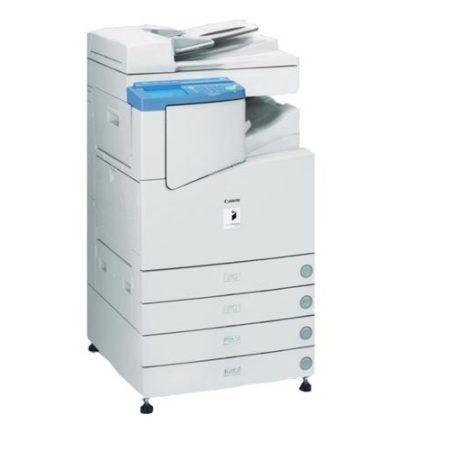
  • Canon Multifunction Photocopiers
    Known for reliability, sharp prints, and high-speed performance.
  • HP Office Printers
    Compact and efficient for SMBs and workgroups.
  • RISO  Printers
    Ideal for bulk printing with ultra low running costs.

Key Features You Can Expect

  • Print, scan, copy, and email in one machine
  • A3/A4 size compatibility
  • High-speed printing (25–70 ppm and above)
  • Network & wireless connectivity
  • Toner, parts, and service included in rental plan


Benefits of Copier Rental

1. Low Initial Investment
Avoid spending lakhs on new machines start operations with minimal cost. Copier rental lets you preserve your working capital for core business growth.

2. Maintenance Free Operations
Hi Tech’s service team takes full responsibility for AMC, breakdowns, and toner replacement ensuring your office never faces printing downtime.

3. Scalable and Flexible
As your team grows, your printing needs evolve. Easily upgrade or add machines to your rental plan no long-term binding contracts.

4. Access Latest Technology
Stay ahead with the latest copier models from brands like Canon, HP, and Riso ensuring productivity and performance.

5. Tax & Accounting Advantages
Rental expenses qualify as operational costs, helping you simplify accounting and reduce taxable profits.

Applications Across Industries (India Focus)

Copier rental isn’t limited to offices it’s a versatile solution used across industries nationwide.

  • Schools & Colleges: Print exam papers, circulars, and student certificates effortlessly.
  • Hospitals & Clinics: Generate patient reports and prescriptions quickly.
  • Corporate Offices: Handle day-to-day document printing and scanning.
  • Banks & Financial Institutions: Securely print statements and audit reports.
  • Government Departments: Manage high-volume official communication and forms.
  • Manufacturing Units: Print invoices, labels, checklists, and quality reports.

🏢 Example: A logistics company in Mumbai saved nearly 60% on operational costs by renting a Canon copier from Hi Tech instead of purchasing one outright.


FAQs

Q1. How much does copier rental cost per month?
It depends on the model and usage volume. Hi Tech offers affordable plans with toner and service included ideal for every office size.

Q2. What happens if the machine breaks down?
Our expert team provides prompt on-site support or a replacement unit to ensure zero downtime.

Q3. Is toner or paper included in the rental?
Toner and service are included; paper supply is optional based on your preference.

Q4. Can I upgrade to a higher model later?
Yes, you can easily upgrade anytime as per your usage or team size no penalties.

Q5. Do you offer copier rentals outside Mumbai?
Yes, Hi Tech Enterprises provides rental services across Maharashtra and nearby regions.


Conclusion
Copier rental isn’t just about saving money it’s about smart business transformation.
You gain flexibility, productivity, and peace of mind all while keeping your budget in control.

Whether you’re setting up a new office, running a school, or managing daily paperwork in a government department renting a copier ensures you always have the best equipment at minimum cost.


Call to Action (CTA)

👉 Ready to transform your office into a digital, cost-efficient workspace?
Contact Hi Tech Enterprises today for affordable copier rental plans, including installation, AMC, and on-site service support.
📞 Call Now or Visit: https://hitechenterprises.in

How to Reduce Printing Work and Go Digital Save Time & Money

Still juggling stacks of papers, chasing signatures, and printing the same forms over and over?
It’s time to move faster, smarter, and paper-free.

Modern offices are shifting toward digital document workflows scanning, sharing, and securely storing files instead of relying on paper. The best part? You don’t need expensive software or advanced IT skills to get started.

In this blog, we’ll explore practical ways to reduce printing work, digitize your documents, and save big on cost, time, and effort with solutions trusted by thousands of Indian organizations.

What Does ‘Going Digital’ Mean for Offices?

Going digital means converting your paper-based records and processes into organized, searchable, and shareable digital files.

This approach eliminates the need for endless printouts, manual filing, and bulky storage, while improving accessibility and workflow transparency.

Why It Matters

  • Saves paper and printing costs
  • Reduces clutter and improves space utilization
  • Speeds up approvals and communication
  • Increases transparency and accountability

Whether you’re managing student records, invoices, or patient files, going digital ensures your documents are always just a click away.

How to Go Digital — Step-by-Step Approach

1. Start with Scanning

Use a multifunction printer (MFP) with scan to email or cloud upload features to convert paper documents into PDFs.
Hi-Tech offers Canon, HP, and Epson copiers that make high-speed scanning effortless.

2. Organize & Store

Once scanned, save files in structured folders or cloud platforms like Google Drive, OneDrive, or Dropbox.
Pro Tip: Create folders by department or date for easy retrieval.

3. Use Digital Signatures

Replace physical approvals with digital signing tools such as Adobe Sign or DigiLocker eSign.
This helps you eliminate printouts for internal approvals or vendor contracts.

4. Automate Repetitive Tasks

Integrate a Document Management System (DMS) or ERP tool to automate sorting, naming, and filing of invoices, receipts, or HR documents.

5. Go Paperless in Meetings

Encourage staff to use tablets or laptops for presentations, reports, or meeting notes instead of printing hard copies.
This not only saves paper but also fosters collaboration through shared documents.

Specifications & Key Components (Tools That Help)

🔹 Multifunction Photocopiers

Brands: Canon, HP, Epson

  • Print, scan, copy, and share documents instantly
  • Support for network and wireless scanning
  • Built-in cloud and email integration

🔹 Document Management Systems (DMS)

  • Centralized file access and sharing
  • Automated sorting and version tracking
  • User permissions and audit trails

🔹 Hi-Tech Document Solutions

Hi-Tech provides end-to-end support for digital transformation:

  • Scanning setup and network integration
  • AMC and maintenance for office equipment
  • Secure backup and recovery solutions

With Hi-Tech, you get everything from devices to support under one roof.

Benefits of Reducing Printing & Going Digital

✅ Cost Savings:
Less paper, toner, and printer maintenance means lower monthly expenses.

✅ Time Efficiency:
Instant access to files — no more manual searching through cabinets.

✅ Data Security:
Protect sensitive information with encryption and restricted access.

✅ Eco-Friendly:
Cut paper waste and energy use, contributing to sustainability goals.

✅ Mobility & Flexibility:
Access your files anywhere — at home, office, or on the go.


Use Cases in the Indian Context

🏫 Schools & Colleges – Digitize student records, exam reports, and circulars for faster administration.
🏥 Hospitals & Clinics – Store and access patient data securely with instant retrieval.
🏢 Banks & Offices – Simplify document trails, audits, and approvals with minimal paperwork.
🏭 Industries & Manufacturing Units – Maintain invoices, dispatch reports, and inspection records digitally.
🏛️ Government Departments – Implement e-Office systems to speed up inter-departmental approvals.


Frequently Asked Questions (FAQs)

Q1. How can a small office start going digital affordably?
➡ Start by using your existing copier’s scan function to digitize documents. No complex setup needed.

Q2. Do we need special software for document management?
➡ Not necessarily. Cloud storage like Google Drive works well for small setups. DMS adds automation for larger teams.

Q3. Can Hi-Tech Enterprises help set up digital document solutions?
➡ Absolutely. Hi-Tech provides MFPs, scanners, DMS solutions, and AMC support for a complete digital office setup.

Q4. Is going digital secure?
➡ Yes. Using password protection, encryption, and access control keeps your files safe from unauthorized access.

Conclusion

Digital transformation isn’t just for big companies it’s for every organization that wants to save money, time, and office space.
By simply scanning, storing, and managing documents digitally, you can make your office more efficient and environmentally responsible.

👉 Talk to Hi-Tech to explore scanner-enabled copiers, DMS setups, and digital document integration for your business.
Let’s help you move forward faster, smarter, and paper-free.

Why Every Organization Needs a Currency Counting Machine

Imagine it’s closing time at your business stacks of currency notes waiting to be counted, staff double checking totals, and the risk of a single mistake throwing off your entire cash report.
Now imagine fake notes slipping through during this process. Scary, right?

A recent incident in Kolhapur exposed a fake-currency racket worth over ₹1 crore, proving that manual cash handling can lead to serious losses and legal risks.
👉 Read the news report here

That’s where a Currency Counting Machine (CCM) becomes a must have not just for banks but for any organization that handles cash daily. In this blog, we’ll explore how CCMs work, their key benefits, and why Hi-Tech’s Kross IS2300 Prime and IS9000SE are two of the best models for your business.

What Is a Currency Counting Machine (CCM)?

Currency Counting Machine is an automated device that counts, sorts, and verifies currency notes. It ensures every note is checked for authenticity, helping prevent counterfeit circulation and costly errors.

Why it matters:

  • Reduces manual counting errors
  • Detects fake or damaged notes
  • Saves time and improves efficiency
  • Creates transparency in financial handling

Who should use it:
Banks, retail outlets, hospitals, educational institutions, hotels, corporate offices, and government departments — basically, any place where cash is handled frequently.

How Does a Currency Counting Machine Work?

Even though it’s a high-tech device, operating a CCM is simple:

  1. Load the notes onto the hopper tray.
  2. The machine feeds and separates each note automatically.
  3. Notes pass through UV, Magnetic (MG), and Infrared (IR) sensors.
  4. The CCM counts, verifies, and flags any suspicious or damaged notes.
  5. Results are displayed instantly on a digital screen.

This process eliminates the need for manual recounting, ensuring accuracy and peace of mind every single time.

Specifications & Key Features (Hi-Tech Recommended Models)

When buying a CCM, here’s what to look for:

  • Counting speed (notes per minute)
  • Hopper capacity
  • Mixed denomination counting
  • Fake note detection (UV / MG / IR sensors)
  • Batch and sorting functions
  • Display type and user interface
  • Power efficiency and durability
  • Warranty and AMC support

🔹 Hi-Tech Kross IS2300 Prime

Best for: Small businesses, shops, and offices with moderate cash volume.

  • Counting Speed: 1000 notes/min
  • Detection: UV + MG
  • Compact design with batch counting mode
  • Simple operation and minimal maintenance

🔹 Hi-Tech Kross IS9000SE

Best for: Banks, large institutions, and cash-heavy sectors.

  • Counting Speed: 1200 notes/min
  • Detection: UV + MG + IR
  • Supports mixed denomination counting
  • Advanced half-note and chain-note detection
  • Heavy-duty build for long operational life

Both models are available for sale, rental, and AMC through Hi-Tech — ensuring you get reliable machines with expert support.

Benefits of Using a Currency Counting Machine

✅ Accuracy & Reliability
Eliminate manual counting mistakes and human fatigue.

✅ Fake Note Detection
Identify counterfeit notes instantly before they cause financial loss.

✅ Time Efficiency
Count thousands of notes in seconds, freeing up your staff’s time.

✅ Operational Transparency
Provides clear records, making auditing smoother and faster.

✅ Cost Savings
Minimizes losses, reduces labour costs, and ensures compliance with financial standards.

✅ Peace of Mind
Knowing every rupee is verified builds trust among staff, auditors, and clients.

Use Cases Across Different Industries

💰 Banks & NBFCs – For daily cash deposits and withdrawals.
🛒 Retail & Malls – To speed up end-of-day closing.
🏥 Hospitals & Clinics – For handling patient payments accurately.
🏫 Schools & Colleges – For quick and error-free fee collection.
🏛 Government Offices – For revenue collection and tax counters.
💎 Jewellery & Forex Shops – Where counterfeit risk is high and accuracy is crucial.
🏗️ Builders & Construction Firms – For managing site payments, supplier transactions, and cash-based project expenses efficiently.

Example:
A jewellery store in Mumbai upgraded to the Kross IS9000SE after discovering counterfeit notes during billing. Within a month, accuracy improved drastically, and customer trust increased significantly.

Frequently Asked Questions (FAQs)

Q1. Which type of CCM is best for my business?
➡ Choose the IS2300 Prime for low-to-medium cash volume and the IS9000SE for high-volume, mixed denomination counting.

Q2. Can the machine detect old or damaged notes?
➡ Yes. With UV, MG, and IR sensors, it can detect fake or worn-out currency easily.

Q3. Does it require regular maintenance?
➡ Minimal maintenance is needed. However, regular cleaning and Hi-Tech’s AMC service ensure long-term performance.

Q4. Can I rent instead of purchasing?
➡ Yes, Hi-Tech Enterprises offers flexible rental plans to meet short-term or seasonal needs.

Q5. Why buy from Hi-Tech Enterprises?
➡ Because Hi-Tech is a trusted Indian provider since 2006, offering genuine products, expert service, and dependable AMC support.

Conclusion

In a world where accuracy and security are key to business success, a Currency Counting Machine is no longer a luxury it’s a necessity. It saves time, reduces losses, and ensures compliance, especially in cash-driven sectors.

Whether you’re a small retailer or a large organization, Hi-Tech offers the right CCM for your needs, backed by sales, rental, and AMC options for complete peace of mind.

📞 Request a demo or get a customized quote for the Kross IS2300 Prime or IS9000SE today.
👉 Visit hitechenterprises.in or contact our team to secure your cash operations the smart way.

Smart Printing for Education How the RISO GL9730 Saves Time and Money

Introduction: Smart Printing for Education

In schools, colleges, and universities, printing is a daily necessity from exam papers to notices, study materials, and administrative documents. But traditional printers often fall short, either being too costly per page or too slow for high-volume printing needs.

This is where the RISO GL9730 digital duplicator steps in. Specifically designed for institutions that require bulk printing at record speed and low cost, it’s one of the smartest investments an educational institution can make.

Why Printing is a Challenge in Education

  • High Volume Needs: Exam papers, assignments, circulars, and handouts demand thousands of copies in a short span.
  • Budget Constraints: Schools and colleges need economical printing solutions that won’t strain their budgets.
  • Reliability Matters: Downtime during exam season or admissions is not an option.

The RISO GL9730 solves all these challenges in one go.

Key Features of the RISO GL9730 for Education

1. Ultra-Low Cost Per Page

The GL9730 is engineered for affordability. Institutions can print at a fraction of the cost of laser or inkjet printers, with cost-per-page as low as ₹0.20–₹0.25. This means exam papers and bulk study material are produced at unbeatable prices.

2. Blazing Speed – Up to 165 Pages Per Minute

When time is critical, speed is everything. The RISO GL9730 can churn out 165 A4 pages per minute, making it one of the fastest duplicators in its class. Whether it’s 10,000 exam papers or 5,000 assignments, the job gets done on time, every time.

3. Rock-Solid Reliability

Designed for high-volume workloads, the GL9730 reduces breakdowns and downtime. With durable Japanese engineering, it ensures that your printing schedule never misses a beat even during the busiest academic seasons.

4. Eco-Friendly Printing

Educational institutions increasingly value sustainability. The RISO GL9730 uses soy based ink and low power consumption technology, making it a green solution for bulk printing.

5. Superior Print Quality

From crisp exam papers to professional-grade handouts, the GL9730 delivers sharp text and clear images, ensuring every document looks reliable and easy to read.

Real-World Impact in Educational Institutions

  • Schools & Colleges → Print thousands of exam papers quickly and economically.
  • Universities → Manage circulars, question banks, and academic reports with ease.
  • Coaching Institutes → Provide study materials to hundreds of students daily without worrying about rising printing costs.

For example, a university printing 1,00,000 exam sheets could save lakhs of rupees annually by switching to the RISO GL9730 compared to traditional printers.

Why Choose Hi-Tech Enterprises for RISO GL9730?

As a RISO Authorized Channel Partner in India, Hi-Tech offers:
✔️ Genuine RISO Machines & Consumables
✔️ Onsite Installation & Training
✔️ AMC & Service Support
✔️ Rental Solutions for Seasonal Needs

We don’t just sell the machine we ensure it works for you seamlessly, year after year.

FAQs

Q1. What is the cost-per-page of the RISO GL9730?
It can go as low as ₹0.20–₹0.25 depending on ink coverage and volume.

Q2. Can it handle both exam papers and administrative documents?
Yes, the GL9730 is ideal for both academic and administrative printing tasks.

Q3. Is it suitable for small schools?
Yes, even smaller schools benefit, especially during exam seasons when bulk printing is needed.

Q4. Do you provide demos and AMC?
Absolutely we provide demos, training, and annual maintenance contracts for worry.

Conclusion

For educational institutions, time and money matter as much as quality. The RISO GL9730 digital duplicator is not just a printer it’s a smart investment that delivers speed, savings, and reliability year after year.

Want to see the RISO GL9730 in action? 🎥 Check out our detailed demo video here: Watch on YouTube

📞 Ready to transform your school or college printing?
Contact Hi-Tech at +91 9152 201 201 or visit HiTechEnterprises.in for a demo today.

Top Office Automation Machines Every Modern Workplace Needs

     In the fast-paced world of business, efficiency is everything. Whether you’re managing a startup, school, hospital, or government office, having the right office automation machines can significantly reduce manual work, enhance productivity, and streamline operations.

At HITECH, we’ve been empowering Indian offices since 2006 with reliable automation tools that simplify daily tasks all available for sale, service, AMC, or rental.

Here’s a practical guide to the top office automation machines every modern workplace should invest in.

1. 🖨️ Multifunction Printers & Photocopiers

Why You Need It:
Handle all your printing, copying, scanning, and faxing tasks from one device.

Best For:
Offices, schools, banks, and government departments

Recommended Brands: Canon, Riso, HP, Epson

✅ Save space, time, and money with a single compact machine.

🔗 Explore Our Copiers & Printers

2. 🪪 PVC ID Card Printers

Why You Need It:
For printing staff ID cards, student badges, visitor passes, and access cards in-house.

Best For:
Colleges, offices, events, hospitals, and institutions

Recommended Brands: Evolis

✅ Enhance security and identity management in your workplace.

🔗 Browse ID Card Printers

3. 📽️ Projectors (Short & Long Throw)

Why You Need It:
Essential for presentations, training sessions, classroom teaching, and client meetings.

Best For:
Schools, boardrooms, training centers, seminar halls

Types Available: Short Throw | Long Throw | Portable Projectors

✅ Improve communication and engagement with visual clarity.

🔗 See Projector Options

4. 🔒 CCTV Surveillance Systems

Why You Need It:
To secure your premises, monitor activity, and comply with safety protocols.

Best For:
Offices, warehouses, schools, hospitals, retail stores

Available Types: IP Cameras | Analog CCTV | Hybrid Systems

✅ Protect people, data, and assets 24/7.

🔗 Explore CCTV Solutions

5. 🧻 Paper Shredders

Why You Need It:
Ensure safe disposal of confidential documents, and stay compliant with privacy laws.

Best For:
Banks, legal firms, HR departments, and any document-heavy office

Brands We Offer: Fellows

✅ Avoid data breaches and keep sensitive information safe.

🔗 Check Shredder Range

6. 💻 Laptops & Desktop Workstations

Why You Need It:
Reliable computing for daily operations, creative work, and remote access.

Best For:
Corporate offices, schools, IT teams, designers

Brands Available: HP, Lenovo, Dell, ASUS

✅ Boost productivity with high-performance systems tailored to your workload.

🔗 Contact Us for Configuration & Pricing

7. 💰 Cash Counting & Fake Note Detection Machines

Why You Need It:
To count cash quickly and verify currency authenticity — especially in high-cash environments.

Best For:
Banks, retail outlets, petrol pumps, wholesalers

✅ Speed up transactions and reduce human error.

🔗 View Cash Counting Machines

8. 📠 Digital Duplicators

Why You Need It:
High-speed, high-volume printing at low cost per page — ideal for bulk documentation.

Best For:
Schools, exam centers, coaching classes, government institutions

Top Brand: Riso

✅ Print thousands of copies economically and efficiently.

🔗 Explore Digital Duplicators

FAQs

  1. Are these machines available on rental?
    Yes! We provide short and long-term rental solutions with installation and support.
  2. Do you offer Annual Maintenance Contracts (AMC)?
    Absolutely. Our AMC plans cover routine service, repairs, and parts replacement.
  3. Can you help us choose the right machines for our office size?
    Yes. Our experts offer free consultation to recommend solutions based on your specific needs and budget.
  4. What if a machine breaks down?
    We provide quick service and standby replacement units to avoid downtime.
  5. Do you serve outside Mumbai?
    Yes, we provide services across Maharashtra and select regions across India but specially in Mumbai.

Conclusion

The right office automation machines can make your workplace smarter, faster, and more secure. Whether you’re expanding, upgrading, or just getting started, HITECH provides reliable, brand-backed solutions tailored for Indian businesses.

📞 Let’s equip your office, the smart way. Contact Us or Browse All Products to get started.

Our Rental Solutions The Flexible Way to Equip Your Office

     Equipping an office can be expensive especially if your needs change with time, staff size, or project scope. That’s where office equipment rental solutions come in. At HITECH, we offer affordable, flexible rental plans for everything from printers and copiers to ID card systems and shredders, ensuring your business gets what it needs — without breaking the bank.

Since 2006, we’ve supported hundreds of Indian offices, schools, hospitals, and government departments with rental services that save money and reduce maintenance headaches.

Why Choose Rental Over Purchase?

Lower Upfront Cost: Avoid large capital expenses. Pay only for what you use, when you need it.
Fully Maintained Equipment: Service, support, and consumables like toner (optional) included — no extra repair costs.
Flexibility to Scale: Need more machines during exam season or tax time? Scale up or down instantly.
Access to Latest Technology: Upgrade to newer models without full investment. Stay competitive, always.
Quick Replacements: If a machine breaks down, we provide immediate replacements to avoid downtime.

What Can You Rent from HITECH?

We offer short-term and long-term rentals for:

🖨️ Printers & Multifunction Copiers

  • A3 & A4 | Colour & Mono
  • Canon, Riso, HP, Epson and many more
  • Ideal for schools, offices, CA firms, and corporates

🪪 ID Card Printers

  • Evolis
  • Perfect for event passes, employee cards, school IDs and more

📽️ Projectors

  • Short throw & long throw projectors
  • Great for seminars, training, exhibitions

🧻 Paper Shredders

  • Fellows
  • For confidential document disposal in offices and banks

🔒 CCTV Systems

  • IP & Analog setups
  • Secured rental with installation & monitoring options

Who Can Benefit?

  • Startups & SMEs – Avoid high upfront costs while maintaining productivity
  • Educational Institutions – Rent copiers and ID printers for peak admission periods
  • Corporate Offices – Upgrade tech with ease without long-term commitment
  • Event Organizers – Rent projectors, printers & ID card printers for temporary setups
  • Banks & Government Depts. – Get AMC-backed equipment with strict compliance standards

Why HITECH?

  • 18+ years of experience
  • Authorised partner of Canon, Riso, HP, Evolis & more
  • PAN India service coverage
  • Trained technicians & support team
  • Transparent rental agreements

FAQs

  1. What is the minimum rental duration?
    We offer flexible options — from 1-day events to multi-year contracts.
  2. Is installation and training included?
    Yes, for most machines, on-site setup and user training are part of the plan.
  3. Do I need to pay for repairs during the rental period?
    No! Service and maintenance are covered under our rental terms.
  4. Can I upgrade machines during the rental term?
    Yes. We allow model upgrades or swaps as your needs evolve.
  5. What locations do you serve?
    We offer rentals and service support across Mumbai, Maharashtra, and major cities in India.

Conclusion

If you’re looking for a smarter way to equip your office, our rental solutions offer the flexibility, affordability, and reliability you need. Whether you’re a growing business or an established institution, HITECH helps you stay productive — without long-term cost commitments.

📞 Ready to rent smart? Contact us now or explore our Rental Solutions today.

Short Throw vs. Long Throw Projectors: What’s the Difference?

     Whether you’re setting up a projector in a classroom, boardroom, showroom, or home theatre, one of the most important factors to consider is throw distance and that’s where the short throw vs long throw projector debate begins.

At HITECH, we’ve been helping businesses, schools, and institutions across India choose the right projectors since 2006. In this guide, we’ll break down the difference between short throw and long throw projectors, their use cases, and how to choose the best one for your needs.

What is Throw Distance?

Throw distance is the space between the projector and the screen. It determines how large the projected image will be based on how far the projector is placed.

  • Short Throw Projector: Can project a large image from a short distance (typically 0.5 to 1.5 meters).
  • Long Throw Projector: Requires more distance (typically 2 meters or more) to produce the same image size.

Key Differences: Short Throw vs Long Throw Projectors

FeatureShort Throw ProjectorLong Throw Projector
Distance from screen0.5 to 1.5 meters2 to 5+ meters
Ideal forSmall rooms, classrooms, retail, kiosksAuditoriums, halls, large conference rooms
Shadow interferenceMinimalMore likely if someone walks in front
InstallationWall or ceiling-mounted close to screenRequires ceiling mount or back of room
CostSlightly higherMore affordable for basic models
Lens typeWide-angle lensStandard zoom lens

Benefits of Short Throw Projectors

  • Space-saving: Perfect for small rooms with limited throw distance
  • No shadows or glare: Since the projector is closer to the screen, presenters don’t block the beam
  • Easier interaction: Ideal for interactive whiteboards and touch enabled setups
  • Neat installations: Can be wall-mounted directly above the screen

Benefits of Long Throw Projectors

  • Large projection size: Ideal for projecting huge images in big spaces
  • Flexible placement: Can be mounted far from the screen, perfect for auditorium style rooms
  • Budget-friendly options: Available in a wide price range depending on brightness and resolution

Which One Should You Choose?

Go for Short Throw if:

  • You’re working with limited space
  • You need the projector close to the screen
  • You’re setting up in a classroom, training room, or retail environment
  • You want to avoid shadows during presentations

Go for Long Throw if:

  • You have a large hall or auditorium
  • There’s enough space to mount the projector far back
  • You’re looking for high-end installations with large image projection
  • You’re planning a permanent, fixed setup

Indian Use Cases

  • Schools & Colleges: Short throw projectors are popular in smart classrooms to avoid shadows and engage students.
  • Offices: Boardrooms with 10–20 seat capacity can use short throw projectors mounted above the whiteboard.
  • Event Halls & Auditoriums: Long throw projectors are preferred for large image projection in seminars or public addresses.
  • Retail Outlets & Showrooms: Short throw projectors are used in compact spaces for product demos and wall projections.

FAQs

  1. Can I use a short throw projector for home theater?
    Yes, especially in small rooms where mounting distance is limited. It also reduces shadows.
  2. Are short throw projectors more expensive?
    Generally, yes — due to their specialized wide-angle lenses. But the installation and space-saving benefits often outweigh the cost.
  3. What is an ultra short throw projector?
    An advanced type of short throw projector that can sit just inches from the screen and still produce a large image.
  4. Does room lighting affect both types equally?
    Yes, ambient lighting affects both. Choose a projector with suitable brightness (measured in lumens) for your room conditions.
  5. Can I rent projectors for events?
    Absolutely. At Hi Tech Enterprises, we offer rental options for both short and long throw projectors.

Conclusion

Choosing between short throw vs long throw projectors depends on your space, budget, and usage. Short throw projectors are perfect for compact environments and interactive presentations, while long throw projectors shine in large venues and fixed installations.

Need help finding the right model for your setup? At HITECH, we offer expert guidance, sales, and rentals of Canon, Epson, BenQ, and more.

📞 Contact us or explore our Projector Collection now.

Back to Top
Product has been added to your cart