
Home
Shop

Hot deals just for you this weekend

Recently Viewed

Riso SF 5330 The Cost-Saving Solution for Modern Printing Presses

The Indian printing industry is facing unprecedented challenges. Over the past few years, many printing presses are shutting down, leaving businesses struggling to maintain profitability. Rising costs, manpower shortages, and longer turnaround times are the main reasons behind this trend.

However, technological advancements like the Riso SF 5330 digital duplicator are changing the game, offering publishers, printing presses, and educational institutions a cost-effective and efficient alternative.

Why Are Printing Presses Shutting Down?

Several factors are contributing to the decline of traditional printing presses in India:

  • High Operating Costs: Traditional offset and laser printers consume large amounts of ink, paper, and electricity, significantly increasing per-page costs.
  • Manpower Shortage: Skilled operators are increasingly hard to find, and running conventional presses often requires multiple staff members.
  • Long Turnaround Times: Meeting tight deadlines is challenging, especially for bulk print orders, which can impact client satisfaction.
  • Competition from Digital Media: More publications are moving online, reducing print demand.

As a result, many printing businesses are seeking smarter, more affordable alternatives to stay competitive.

What Is the Riso SF 5330?

The Riso SF 5330 is a high-speed digital duplicator designed for bulk printing with minimal operating cost. Unlike conventional presses, it uses ink-based duplication technology, allowing for fast, cost-efficient, and consistent printing.

It is particularly suitable for:

  • Newspapers and magazines
  • Educational material printing
  • Corporate newsletters and reports
  • Small-scale publishers

How Does the Riso SF 5330 Work?

The Riso SF 5330 works in three main steps:

  1. Master Creation: A master sheet is created from your original document.
  2. Drum Printing: The master wraps around a drum, allowing ink to transfer onto paper.
  3. High-Speed Output: Pages are printed continuously at speeds up to 180 pages per minute.

Because of this process:

  • Ink usage is minimal, reducing cost per page.
  • Prints are consistent in quality, even for long runs.
  • Turnaround time is drastically reduced, allowing presses to handle larger orders efficiently.

Key Specifications & Features

Speed & Efficiency
Up to 180 ppm for high-volume printing
Ideal for newspapers, educational materials, and magazines

Cost-Effective
Low running cost per page
Reduces dependence on large manpower

Reliable & Durable
Built for continuous, high-volume use
Minimal downtime, making it suitable for tight deadlines

Easy to Operate
Simple interface requires minimal training
Reduces operational complexity

Benefits of Using Riso SF 5330 for Printing Presses

Lower Operating Costs
Firstly, ink-based duplication drastically reduces cost per page compared to conventional printing presses.

Faster Turnaround
With speeds of up to 180 ppm, deadlines are easier to meet without compromising quality.

Minimal Manpower Required
Fewer operators can manage the same volume, helping overcome staff shortages.

Consistent Print Quality
High-quality output for every page ensures professionalism and client satisfaction.

Scalable for Growth
Whether you need 1,000 or 100,000 copies, the machine scales seamlessly with demand.

Free Demo Offer – Try Before You Buy

At Hi Tech Enterprises, we understand that switching technology is a big decision. That’s why we offer a FREE 8-day demo at your office:

  • Machine is free for the demo period
  • Ink purchase is the only cost
  • Evaluate performance, speed, and cost-saving benefits firsthand

This hands-on experience allows you to see how the Riso SF 5330 can transform your printing press operations without any upfront investment.

Industry Applications in India

📰 Newspapers & Magazines
Regional newspapers in cities like Pune, Ahmedabad, and Bengaluru use Riso SF 5330 to handle daily print runs efficiently and cost-effectively.

📚 Educational Institutes
Schools and coaching institutes printing study material and exam papers benefit from quick, high-volume output with reduced costs.

🏢 Corporate Offices
Companies printing annual reports, newsletters, and internal documentation save time and manpower with this solution.

FAQs – Riso SF 5330

1. Can Riso SF 5330 handle large print volumes daily?
Yes. The machine is designed for high-volume output without quality loss.

2. How much can I save per page?
Savings vary, but cost per page is significantly lower than conventional laser or offset printing.

3. Is training required to operate the machine?
Minimal training is needed thanks to the user-friendly interface.

4. Can I try the machine before purchase?
Absolutely. We offer an 8-day free demo at your office.

5. Is AMC available?
Yes, we provide comprehensive AMC and service support across India.

Conclusion – Future-Proof Your Printing Press

In conclusion, traditional printing presses face challenges, but the Riso SF 5330 offers a practical, cost-saving solution. With fast output, low operating costs, and minimal manpower requirements, it’s a perfect fit for Indian publishers and printing presses seeking efficiency and reliability.

📞 Ready to save time and money on printing? Contact Hi Tech Enterprises today to book your FREE 8-day demo and experience the Riso SF 5330 in action.

Business Doesn’t Stop in Crisis Neither Should Your Machines

Introduction: When the World Slows Down, Work Doesn’t

In times of uncertainty whether it’s economic disruption, operational pressure, or even global tensions businesses don’t get the luxury to pause.

Deadlines remain. Operations continue. Responsibilities grow.

However, one thing that often gets overlooked during such situations is your office infrastructure.

What happens if your photocopier stops working during a critical moment?
What if your printer fails during urgent documentation?

This is where office machine support during crisis in India becomes more than just a service it becomes a necessity.

At Hi Tech, we ensure that no matter the situation, your machines and your business keep running.

What Does “Crisis-Ready” Office Support Mean?

Crisis-ready support means your business operations remain uninterrupted, even during challenging situations.

It’s not just about fixing machines. It’s about being prepared.

Firstly, it ensures immediate assistance when issues arise.
Secondly, it guarantees availability of machines, parts, and consumables.

In simple terms, it means your workflow never stops.

How Hi Tech Keeps Your Machines Running During Crisis

At Hi Tech Enterprises, our service system is built to handle pressure situations without compromise.

Here’s how we ensure continuity:

1. Instant Complaint Registration
Customers can scan the QR code on their machine to raise a complaint instantly.

2. Smart Ticket System
The request is logged into our system via Gallabox and ERP, ensuring no delay or confusion.

3. Fast Engineer Assignment
An available service engineer is assigned immediately based on location.

4. Quick Response Time
Our team responds within hours even during high-demand situations.

5. Active Service Operations
No matter the crisis, our service, support, and communication channels remain active.

As a result, your business doesn’t suffer due to technical interruptions.

Key Features That Make Our Service Crisis-Proof

A strong system is what makes the difference during tough times.

Here’s what sets Hi Tech apart:

  • Always-active support system
  • QR-based complaint registration
  • ERP-based tracking and management
  • Fast response within hours
  • Availability of consumables and parts
  • Support for urgent and bulk requirements
  • Rental and backup solutions available

Moreover, our structured workflow ensures that even during peak demand, every complaint is handled efficiently.

Benefits for Businesses During Crisis

Why does this matter for your business? Let’s break it down.

1. Zero Operational Downtime
Firstly, quick support ensures your work doesn’t stop.

2. Business Continuity
Even during uncertain times, your operations stay smooth.

3. Emergency Readiness
You are always prepared for unexpected machine failures.

4. Reliable Partner Support
You don’t have to search for help during urgent situations.

5. Cost Efficiency
Avoid losses caused by delays or halted operations.

In short, strong service support becomes your silent backbone.

Industry Uses & Real-Life Scenario (India)

Across India, different industries rely heavily on office machines even more during crisis situations.

  • Banks need uninterrupted cash counting and documentation
  • Hospitals depend on printers and scanners for patient records
  • Schools & Colleges require bulk printing during exams
  • Government Offices handle time-sensitive paperwork

👉 Real-Life Scenario:
During a sudden surge in administrative workload, a government office faced a breakdown in their primary photocopier.

With urgent files pending and deadlines approaching, the situation could have caused major delays.

However, they quickly raised a complaint using the QR system. Within hours, a Hi Tech engineer was assigned and reached the location.

The issue was resolved promptly, and work resumed without disruption.

This is what true crisis support looks like.

Explore Reliable Office Machine Solutions

Hi Tech Enterprises offers a complete range of machines backed by strong service support:

👉 Explore more: https://hitechenterprises.in

FAQs

1. Can I get support during emergency situations?
Yes, Hi Tech provides active support even during high-demand or crisis situations.

2. How quickly will my complaint be handled?
Complaints are responded to within hours after being registered.

3. Do you provide backup or rental machines?
Yes, rental and backup solutions are available to ensure uninterrupted work.

4. What if I need urgent bulk printing support?
Hi Tech supports urgent and high-volume requirements efficiently.

5. Which machines are covered under support?
We support photocopiers, printers, scanners, duplicators, projectors, shredders, and more.

Conclusion: Choose Reliability When It Matters Most

In normal situations, any machine can perform well.

But during a crisis, what truly matters is support.

The right partner ensures your business doesn’t stop—even when challenges arise.

With Hi Tech Enterprises, you get more than just machines—you get reliability, speed, and peace of mind.

👉 Don’t wait for a crisis to realize the importance of service. Choose a partner that keeps your business running at all times.

Contact Hi Tech Enterprises today for dependable office automation solutions.

Choosing the Right Office Equipment Partner A Checklist for Businesses

Introduction: Don’t Just Buy Equipment Choose the Right Partner

Most businesses spend a lot of time selecting the right machine.

However, they spend very little time choosing the right vendor.

That’s where the real problem begins.

Because in the long run, your experience depends not on the machine but on the partner behind it.

Poor service, delayed response, and lack of support can turn even the best equipment into a liability.

That’s why choosing office equipment partner in India is one of the most important decisions for any business.

What is an Office Equipment Partner?

An office equipment partner is not just a seller.

They are responsible for:

  • Supplying the right machines
  • Providing installation and setup
  • Offering after-sales service
  • Managing maintenance and AMC
  • Ensuring uninterrupted operations

In simple terms, they support your business even after the sale is done.

Why Choosing the Right Partner Matters

Firstly, machines can fail but support should not.

Secondly, your daily operations depend on these machines.

Choosing the wrong partner can lead to:

  • Frequent downtime
  • Poor service response
  • Increased costs
  • Operational delays

As a result, your productivity and business performance suffer.

Checklist: How to Choose the Right Office Equipment Partner

Before finalizing any vendor, go through this checklist carefully:

1. Do They Offer Strong After-Sales Support?

This is the most important factor.

Ask:

  • How do I raise a complaint?
  • Is there a proper tracking system?

At Hi Tech Enterprises, customers can scan a QR code to raise complaints instantly, which are tracked via ERP for transparency.

👉 This ensures quick and organized service handling.

2. What is Their Response Time?

Time is critical in business.

Ask your vendor:

  • How quickly will they respond?
  • Do they have a structured service system?

Hi Tech ensures response within hours, reducing downtime significantly.

3. Do They Provide AMC & Maintenance Support?

Machines need regular maintenance.

Check if the vendor offers:

  • AMC plans
  • Preventive maintenance
  • Spare parts availability

👉 This ensures long-term reliability of your equipment.

4. Do They Offer Backup or Rental Solutions?

Breakdowns can happen anytime.

A good partner should provide:

  • Rental machines
  • Temporary backup solutions

This keeps your work running without interruption.

5. Are They a Multi-Brand Solution Provider?

Working with a multi-brand partner gives you flexibility.

Hi Tech works with trusted brands like Canon, HP, Epson, Riso, Pantum, and Evolis—giving you multiple options under one roof.

6. Do They Have Experience & Market Trust?

Experience matters.

Choose a company that:

  • Has years of industry presence
  • Serves diverse sectors
  • Has proven reliability

Hi Tech Enterprises has been serving businesses since 2006 across government and private sectors.

7. Do They Provide Complete Office Solutions?

Instead of dealing with multiple vendors, choose one partner who can handle everything.

At Hi Tech, you get:

  • Photocopiers
  • Printers
  • ID card printer solutions
  • Projectors
  • CCTV systems
  • Shredders and more

👉 This simplifies your procurement and support process.

Key Features of a Reliable Equipment Partner

A strong partner always offers:

  • Fast service response
  • Structured complaint system
  • Availability of consumables
  • Skilled service engineers
  • Transparent communication

Moreover, these features ensure smooth and stress-free operations.

Benefits for Businesses

Choosing the right partner brings long-term advantages:

1. Reduced Downtime
Firstly, quick support keeps your operations running.

2. Better Productivity
Your team can focus on work without interruptions.

3. Cost Efficiency
Avoid unnecessary repair and downtime costs.

4. Peace of Mind
You always have a reliable support system.

5. Long-Term Business Growth
A strong partner supports your scaling needs.

Industry Uses & Real-Life Scenario (India)

Businesses across India depend on reliable office equipment partners:

  • Schools for exam printing and admin work
  • Hospitals for patient documentation
  • Banks for daily transactions
  • Government Offices for bulk paperwork

👉 Real-Life Scenario:
A mid-sized company was managing multiple vendors for different machines. Service delays and miscommunication became common.

They switched to Hi Tech Enterprises as a single solution provider. With a structured system, faster response, and centralized support, their operations became smooth and efficient.

This shows how the right partner can transform your workflow.

Explore Complete Office Solutions

Hi Tech Enterprises provides a wide range of office automation solutions:

👉 Explore more: https://hitechenterprises.in

For additional insights on vendor selection, refer to:
https://www.forbes.com/sites/forbestechcouncil/

FAQs

1. Why is choosing the right equipment partner important?
Because your business depends on reliable machines and fast service support.

2. What should I check before selecting a vendor?
Check service response time, AMC support, backup options, and experience.

3. Does Hi Tech provide AMC services?
Yes, Hi Tech offers AMC plans for long-term maintenance.

4. Can I get multiple machines from one provider?
Yes, Hi Tech offers complete office automation solutions under one roof.

5. Do you support government and private sectors?
Yes, Hi Tech serves both sectors across India.

Conclusion: Choose Smart, Grow Smart

Your office equipment partner plays a critical role in your daily operations.

Choosing the wrong one can slow you down.
Choosing the right one can help you grow faster.

With Hi Tech Enterprises, you get more than just machines—you get reliability, experience, and complete support.

👉 Use this checklist before making your decision and partner with a company that truly supports your business.

Contact Hi Tech Enterprises today for dependable office automation solutions.

Behind the Scenes: How Hi-Tech Manages Daily 100+ Service Requests Smoothly

Introduction: What Customers Don’t See

From the outside, service looks simple.

A machine stops working, you call support, and an engineer arrives.

However, behind the scenes, there’s a complete system working to make that happen smoothly.

Without proper management, even a few service requests can create chaos—delays, missed calls, and unhappy customers.

Now imagine handling 100+ service requests regularly.

This is where a strong office machine service management system in India becomes essential.

At Hi Tech, we’ve built a structured system that ensures every request is handled efficiently without confusion or delay.

What is a Service Management System?

A service management system is a structured process that handles customer complaints from start to finish.

It includes:

  • Complaint registration
  • Ticket generation
  • Engineer assignment
  • Service tracking
  • Resolution management

Firstly, it organizes all requests in one place.
Secondly, it ensures nothing gets missed.

In simple terms, it turns service into a smooth, trackable process.

The Challenge: Managing High Volume Service Requests

Handling a large number of service requests is not easy.

Common challenges include:

  • Missed complaints
  • Delayed responses
  • Poor communication
  • Unassigned service requests
  • Lack of tracking

As a result, customers face delays, and businesses lose trust.

That’s why having a proper system is not optional—it’s necessary.

How Hi Tech Handles 100+ Service Requests Smoothly

At Hi Tech Enterprises, every service request follows a structured workflow.

Here’s what happens behind the scenes:

1. QR-Based Complaint Registration

Customers simply scan the QR code on their machine.

This instantly generates a message and connects them to our system via WhatsApp.

👉 No waiting, no confusion.

2. Centralized Complaint Logging (ERP System)

After initial contact, the complaint is registered in our ERP system.

This ensures:

  • Proper documentation
  • Accurate tracking
  • No missed requests

3. Automatic Ticket Generation

Each complaint is converted into a service ticket.

This helps in organizing and prioritizing requests efficiently.

4. Smart Engineer Assignment

The system assigns the complaint to the nearest available engineer.

This reduces travel time and speeds up resolution.

5. Fast Response Within Hours

Our team responds quickly—within hours of complaint registration.

This ensures minimal downtime for customers.

6. Real-Time Tracking & Updates

Each request is tracked until completion.

This improves transparency and accountability.

7. Issue Resolution & Closure

Once resolved, the ticket is closed properly in the system.

This ensures every job is completed and recorded.

Key Features of Hi Tech’s Service System

What makes this system powerful?

  • QR-based complaint system
  • ERP-based tracking
  • Automated ticket management
  • Fast response time
  • Structured workflow
  • Experienced service team

Moreover, this system allows us to scale efficiently without compromising service quality.

Benefits for Customers

A strong backend system directly improves customer experience.

1. Quick Response
Firstly, you don’t wait endlessly for support.

2. No Missed Complaints
Every request is properly logged and tracked.

3. Faster Resolution
Efficient assignment ensures quicker service.

4. Transparency
You know your complaint is being handled.

5. Reliable Support
Consistent service builds trust over time.

In short, you get peace of mind knowing support is always available.

Industry Uses & Real-Life Scenario (India)

Businesses across India rely on timely service support:

  • Schools during exams
  • Hospitals for patient records
  • Banks for daily operations
  • Corporate offices for documentation

👉 Real-Life Scenario:
During a busy financial closing period, a company experienced multiple machine issues across departments.

Instead of chaos, all complaints were logged through Hi Tech’s QR system.

Within hours, engineers were assigned to each issue, and all machines were restored systematically.

The company avoided delays and completed their work on time.

This is the power of a structured service system.

Explore Our Office Solutions

Hi Tech Enterprises offers complete office automation solutions backed by strong service:

👉 Explore more: https://hitechenterprises.in

For more on service management best practices, visit:
https://www.servicenow.com/products/itsm/what-is-itsm.html

FAQs

1. How do I raise a service request?
Simply scan the QR code on your machine and follow the steps to register your complaint.

2. How quickly will my issue be addressed?
Our team responds within hours of complaint registration.

3. Is my complaint tracked?
Yes, all requests are managed through an ERP-based tracking system.

4. Do you handle multiple service requests at once?
Yes, our system is designed to manage high volumes efficiently.

5. Which machines do you support?
We support photocopiers, printers,id card printer, scanners, duplicators, and more.

Conclusion: Service is a System, Not a Task

Handling service requests is not just about fixing machines—it’s about managing processes efficiently.

At Hi Tech Enterprises, our system ensures that even 100+ service requests are handled smoothly without delays or confusion.

Because in the end, what matters is not just the product—but the support behind it.

👉 Choose a partner with a strong system, not just a sales promise.

Contact Hi Tech Enterprises today for reliable office automation solutions and service support.

Before You Buy a Photocopier, Ask These 5 Questions Most People Don’t

Introduction: The Costly Mistake Most Buyers Make

Buying a photocopier seems simple.

You compare prices, check features, and choose a brand. Done, right?

Not really.

Most businesses make one critical mistake they focus only on the machine, not the system behind it.

As a result, they face issues like delayed service, machine downtime, and unexpected costs.

If you want to avoid these problems, you need to ask the right questions before buying.

This guide on questions before buying photocopier in India will help you make a smarter, long-term decision.

What is a Photocopier & Why Choosing the Right One Matters

A photocopier is more than just a machine it’s a daily operational tool for your business.

Whether you’re printing documents, scanning files, or handling bulk copies, your copier plays a key role in productivity.

However, choosing the wrong machine or the wrong vendor can slow down your entire workflow.

That’s why asking the right questions is not optional it’s essential.

The 5 Questions You Must Ask Before Buying a Photocopier

1. What Happens After Installation?

Firstly, ask about after-sales support.

Will the vendor help you after delivery?
Is there a proper complaint system?

At Hi Tech, every machine comes with a QR-based complaint system. You simply scan and raise a request instantly, which is tracked via ERP.

👉 This ensures you are never stuck without support.

2. How Fast is the Service Response Time?

Secondly, response time is critical.

Imagine your copier stops working during urgent work. Waiting for days is not an option.

Always ask:

  • How quickly will an engineer respond?
  • Is there a structured service system?

Hi Tech provides response within hours, ensuring minimal downtime.

3. What is the Real Cost of Running the Machine?

Most buyers only look at the purchase price.

However, the real cost includes:

  • Toner or consumables
  • Maintenance
  • Spare parts
  • Service charges

A cheaper machine may cost more in the long run.

👉 Always evaluate cost per print and long-term expenses.

4. Is There a Backup Plan During Breakdown?

Machines can fail it’s normal.

But what’s not normal is having no backup.

Ask your vendor:

  • Do you provide rental machines?
  • Is there a temporary replacement option?

At Hi Tech, backup and rental solutions ensure your work never stops.

5. Is the Machine Suitable for Your Workload?

Not all machines are built the same.

Choosing the wrong capacity machine can lead to:

  • Frequent breakdowns
  • Reduced lifespan
  • Poor performance

Always check:

  • Monthly print volume
  • Speed (pages per minute)
  • Usage type (office, school, bulk printing)

👉 A properly matched machine ensures smooth operations.

Key Features to Look for in a Photocopier

Apart from the questions above, here are essential features to consider:

  • Print speed and volume capacity
  • Multifunction capabilities (print, scan, copy)
  • Energy efficiency
  • Ease of use
  • Service support system

Moreover, choosing a trusted provider ensures you get both performance and support.

Benefits of Asking These Questions

Why does this approach matter?

1. Avoid Costly Mistakes
Firstly, you don’t fall for low-price traps.

2. Ensure Long-Term Reliability
You choose a machine that performs consistently.

3. Reduce Downtime
Strong service support keeps your work running.

4. Improve Productivity
Your team works without interruptions.

5. Better Return on Investment
You get full value from your purchase.

In short, you buy smart—not just cheap.

Industry Uses & Real-Life Scenario (India)

Photocopiers are essential across industries in India:

  • Schools & Colleges for exam papers and administration
  • Corporate Offices for daily documentation
  • Banks for record management
  • Government Offices for bulk paperwork

👉 Real-Life Scenario:
A small office purchased a low-cost photocopier without checking service support. Initially, everything worked fine.

However, during an important client deadline, the machine stopped working. The vendor delayed service, and there was no backup option.

Work got delayed, and the business faced losses.

Later, they switched to Hi Tech Enterprises. With fast support, QR-based complaint system, and reliable service, their operations became smooth and stress-free.

Explore Reliable Photocopier Solutions

If you’re planning to invest in a photocopier, explore trusted solutions backed by strong service:

👉 Explore more: https://hitechenterprises.in

For additional guidance on choosing office equipment, refer to:
https://www.hp.com/in-en/shop/tech-takes/post/how-to-choose-printer

FAQs

1. What should I check before buying a photocopier?
You should check service support, cost per print, machine capacity, and backup options.

2. Is after-sales service important?
Yes, it is crucial to ensure your machine runs smoothly without downtime.

3. How do I choose the right photocopier?
Based on your monthly usage, required features, and service reliability.

4. Does Hi Tech provide AMC services?
Yes, we offer AMC plans for long-term maintenance.

5. Can I get a rental photocopier?
Yes, rental options are available based on your business needs.

Conclusion: Ask Smart, Buy Smart

Buying a photocopier is not just a purchase—it’s an investment in your daily operations.

If you don’t ask the right questions, you may face problems later.

But if you choose wisely, you get reliability, efficiency, and peace of mind.

With Hi Tech Enterprises, you don’t just get a machine—you get a complete support system.

👉 Before you buy, ask the right questions—and choose a partner that stands with you after the sale.

Contact Hi Tech Enterprises today for expert guidance and reliable solutions.

What Happens After You Buy a Machine? The Hidden Service System No One Talks About

Introduction: The Truth No One Tells You

Buying an office machine is easy. Whether it’s a photocopier, printer, or ID card solution, most sellers focus only on price and features.

However, the real story begins after the purchase.

What happens when your machine stops working?
Who do you call?
How fast will someone respond?

These are the questions that truly matter.

In reality, many businesses struggle not because of the machine but because of poor after sales support. That’s why understanding the after sales service for photocopier and office machines is critical before making any decision.

At Hi Tech, we believe service is not an add-on—it’s the backbone of your business operations.

What is After Sales Service for Office Machines?

Simply put, after sales service refers to the support you receive after purchasing a machine.

This includes:

  • Complaint handling
  • Technical support
  • Maintenance and servicing
  • Spare parts replacement
  • AMC (Annual Maintenance Contracts)

Firstly, a good service system ensures your machine runs smoothly.
Secondly, it minimizes downtime, which directly impacts your productivity.

Without proper support, even the best machine can become a liability.

How Does the Hi Tech Service System Work?

Now let’s talk about what actually happens when you face an issue.

At Hi Tech, the process is simple, fast, and structured.

Step 1: Scan & Raise Complaint
Every machine comes with a QR code.
You simply scan it, and a message is automatically generated.

Step 2: Instant Complaint Logging
The message is received in our system via Whatsapp.
After that, you receive a secure link to register your complaint properly.

Step 3: Ticket Generation
Once submitted, a service ticket is created instantly.

Step 4: Engineer Assignment
The complaint is assigned to the nearest available service engineer.

Step 5: Quick Response
Our team responds within hours, ensuring minimal delay.

Step 6: Resolution
The issue is resolved based on its complexity either remotely or through an on-site visit.

As a result, you don’t waste time chasing support. The system works for you automatically.

Specifications & Key Features of a Strong Service System

A reliable service system is not just about fixing machines it’s about efficiency and transparency.

Here’s what makes a strong system like Hi Tech’s stand out:

  • QR-based complaint system for instant access
  • Automated ticket generation
  • Centralized tracking via ERP
  • Quick engineer allocation
  • Fast response time (within hours)
  • Structured service workflow

Moreover, this system reduces confusion and ensures every complaint is tracked properly.

Benefits of a Strong After-Sales Service System

Now let’s understand why this matters for your business.

1. Reduced Downtime
Firstly, faster response means your machine is back to work quickly.

2. Better Productivity
Your team doesn’t get stuck waiting for repairs.

3. Peace of Mind
You know exactly where to go when something goes wrong.

4. Long Machine Life
Regular service keeps your equipment in top condition.

5. Cost Savings
Timely maintenance prevents major breakdowns and expensive repairs.

6. Time Saving
Important is time saving: Time cost you more.

In short, good service saves both time and money.

Industry Uses & Real-Life Example (India)

Across India, businesses depend heavily on office machines.

  • Schools & Colleges use photocopiers, printer during exams and admissions
  • Hospitals rely on printers and scanners for patient records
  • Banks need currency counting machines daily
  • Government Offices handle bulk printing and document management

👉 Real-Life Scenario:
A school faced a major issue during exam season—their photocopier stopped working just hours before paper distribution.

Instead of panicking, they scanned the QR code on the machine.
Within hours, a Hi Tech engineer was assigned and reached the site.

The issue was resolved quickly, and exams continued without disruption.

This is the difference a strong service system makes.

Explore Our Office Machine Range

At Hi Tech Enterprises, we offer complete solutions along with reliable support:

👉 You can also explore more solutions here: https://hitechenterprises.in

FAQs

1. How do I raise a complaint for my machine?
Simply scan the QR code on your machine. It will generate a message and guide you to log your complaint via ERP.

2. How fast is the response time?
Our team responds within hours after the complaint is registered.

3. Will I get an engineer visit?
Yes, depending on the issue, an engineer is assigned for on-site service.

4. Do you provide AMC services?
Yes, Hi Tech offers AMC plans for long-term maintenance and support.

5. Which machines do you support?
We support photocopiers, printers, Smart ID Card Printer, scanners, duplicators, projectors, shredders, and more.

Conclusion: Service is What Truly Matters

Anyone can sell a machine.

But not everyone can support it when it matters most.

The real value of your investment lies in the after sales service for photocopier and office machines.

At Hi Tech Enterprises, we don’t just deliver products—we deliver reliability, speed, and trust.

👉 If you’re planning to buy or upgrade your office machines, choose a partner that stands with you even after the sale.

Contact Hi Tech Enterprises today and experience service that actually works.

Why Cheap Machines Cost You More The Hidden Expenses No One Explains

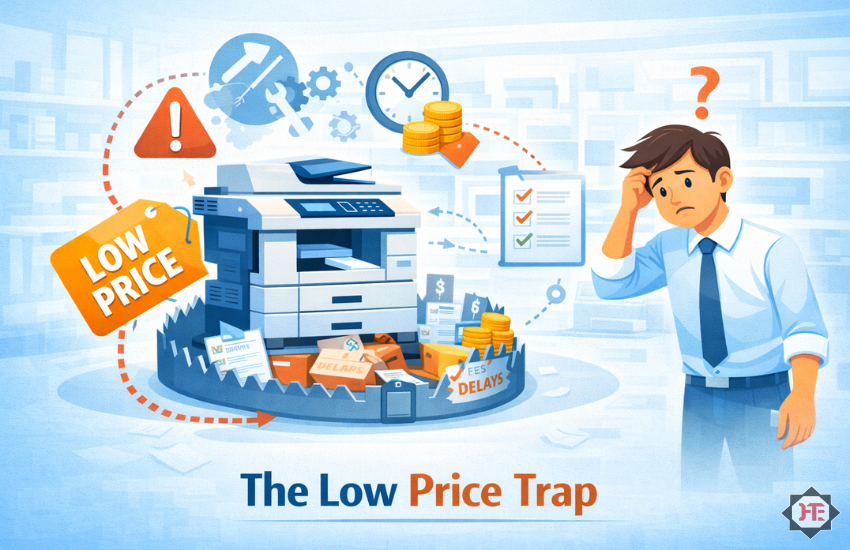
Introduction: The Trap of “Low Price”

Everyone loves a good deal.

When buying a photocopier or office machine, the cheapest option often looks the most attractive.

Lower price. Quick decision. Immediate savings.

But here’s the reality cheap machines are rarely cheap in the long run.

In fact, they often end up costing you more than premium options.

This is a mistake many businesses in India make, especially when they focus only on upfront cost.

If you’re planning to invest in office equipment, understanding why cheap photocopiers cost more in India can save you from serious losses.

What Does “Cheap” Really Mean?

A cheap machine doesn’t just mean low price.

It often means:

  • Lower build quality
  • Limited features
  • Weak service support
  • Poor efficiency

At first, everything may seem fine.

However, problems start appearing when the machine is used regularly.

The Hidden Costs No One Talks About

Let’s break down the real expenses that come with cheap machines.

1. Frequent Breakdowns

Firstly, low-cost machines are not built for heavy or consistent usage.

This leads to:

  • Regular breakdowns
  • Interrupted work
  • Increased frustration

👉 What you save initially, you lose in repairs and downtime.

2. Poor After-Sales Service

Most cheap deals come with weak or unreliable service support.

Common issues include:

  • No response on time
  • No proper complaint system
  • Delayed engineer visits

At Hi Tech, every machine comes with a QR AI-based complaint system and tracking, ensuring quick and structured support.

👉 Service is what truly matters after the purchase.

3. High Running Cost (Cost Per Print)

Cheap machines often have higher running costs.

You may face:

  • Expensive consumables
  • Low yield toners
  • Frequent replacements

👉 Over time, this increases your total cost significantly.

4. No Backup or Support System

When a cheap machine fails, you’re on your own.

There is usually:

  • No rental option
  • No backup machine
  • No quick solution

As a result, your work comes to a complete stop.

5. Short Machine Lifespan

Low-quality machines don’t last long.

You may need to:

  • Replace the machine sooner
  • Spend again within a short period

👉 This doubles your investment instead of saving money.

6. Loss of Productivity

This is the biggest hidden cost.

Every time your machine stops:

  • Work gets delayed
  • Employees sit idle
  • Deadlines are missed

👉 These losses are often bigger than the machine cost itself.

What a Smart Investment Looks Like

Instead of focusing only on price, smart businesses look at the complete system.

A good investment includes:

  • Reliable machine performance
  • Fast after-sales support
  • Low cost per print
  • AMC and maintenance
  • Backup solutions

At Hi Tech Enterprises, we provide not just machines—but a complete support system that ensures uninterrupted operations.

Key Features to Look For Instead of Price

Before buying, always check:

  • Service response time
  • Complaint management system
  • Availability of spare parts
  • Cost per print
  • Vendor reliability

Moreover, these factors determine your long term experience.

Benefits of Choosing Quality Over Cheap

1. Lower Long-Term Cost
Firstly, you avoid repeated expenses.

2. Better Performance
Machines run smoothly without frequent issues.

3. Reliable Support
You get help when you need it.

4. Increased Productivity
Your team works without interruptions.

5. Peace of Mind
You don’t worry about breakdowns.

In short, you invest once and benefit for years.

Industry Uses & Real-Life Scenario (India)

Across India, businesses depend heavily on office machines:

  • Schools during exam printing
  • Banks for daily operations
  • Hospitals for patient records
  • Corporate offices for documentation

👉 Real-Life Scenario:
A small business purchased a low-cost photocopier to save money. Initially, it worked fine.

However, within a few months, the machine started breaking down frequently. Service was delayed, consumables were expensive, and there was no backup.

Eventually, they replaced it with a machine from Hi Tech. With reliable service, better performance, and lower running cost, their operations became smooth.

What seemed like a saving turned into a loss until they made the right choice.

Explore Reliable Office Solutions

Choose machines backed by strong service and support:

👉 Explore more: https://hitechenterprises.in

FAQs

1. Are cheap photocopiers worth buying?
They may save money initially but often cost more due to maintenance and downtime.

2. What is the biggest hidden cost?
Loss of productivity and high running costs are the biggest hidden expenses.

3. How do I choose the right machine?
Focus on service support, cost per print, and reliability instead of just price.

4. Does Hi Tech provide service support?
Yes, we offer fast response, QR-based complaint system, and AMC services.

5. Can I get a backup machine if mine fails?
Yes, Hi Tech provides rental and backup solutions.

Conclusion: Cheap Today, Expensive Tomorrow

A low price may feel like a win today.

But without proper support and reliability, it can turn into a costly mistake tomorrow.

The smarter approach is to look beyond price and invest in a complete solution.

With Hi Tech Enterprises, you get quality machines backed by strong service and support ensuring your business runs without interruption.

👉 Don’t fall for the cheap trap. Choose value, reliability, and long-term savings.

Contact Hi Tech today for trusted office automation solutions.

Why Every Modern Organization Needs a UPS (Not Optional Anymore!) 

Power cuts, voltage fluctuations, device failures  these challenges have become extremely common across Indian businesses. Whether it’s a school, hospital, bank, IT office, or manufacturing unit, an unexpected power outage can bring operations to a halt within seconds.

That’s why a UPS (Uninterruptible Power Supply) is no longer a “good-to-have” accessory.
Today, it is a mandatory safety and business continuity tool.

In this blog, we’ll break down what a UPS is, how it works, and why every modern organization needs one to stay safe, productive, and efficient.

What Is a UPS?

A UPS is an electrical device that provides instant backup power during outages and protects equipment from voltage fluctuations.

It acts as a shield between your devices and the unstable electricity supply.

UPS systems are used for:

  • Computers & servers
  • CCTV systems
  • Photocopiers & printers
  • ID card printers
  • Projectors
  • Network devices (routers, switches, firewalls)
  • POS systems
  • Medical equipment
  • Industrial automation tools

From classrooms to boardrooms, UPS systems ensure uninterrupted uptime.

How Does a UPS Work? (Simple Explanation)

A UPS works in three simple steps:

Voltage Monitoring
The UPS continuously monitors the power supply from the main line.

Backup Activation
If it detects an issue (power cut, low voltage, high voltage), it instantly switches to battery mode within milliseconds.

Power Protection
It stabilizes voltage and prevents damage from:

Surges
Spikes
Brownouts
Frequent ON/OFF cycles

This ensures your devices continue working smoothly without shutting down abruptly.

Types of UPS Systems (Easy to Understand)

✔ Offline/Standby UPS

For computers, small offices, CCTV, routers

  • Affordable
  • Basic protection
  • Ideal for homes & small setups

✔ Line-Interactive UPS

For workstations, small servers, reception systems

  • Better voltage regulation
  • Longer backup

✔ Online UPS

For critical equipment, servers, data centers, hospitals

  • Zero transfer time
  • Pure sine wave output
  • Highest protection level

Hi Tech Enterprises supplies UPS systems from top brands used by modern organizations across India.

Key Features & Specifications to Look For

✔ Battery Capacity (in VA or kVA)
Choose based on your load.

✔ Automatic Voltage Regulation (AVR)
Stabilizes voltage automatically.

✔ Transfer Time
Online UPS = 0ms
Line Interactive = 4–8ms
Offline = 10–20ms

✔ Sine Wave Output
Essential for sensitive devices like servers and medical equipment.

✔ Battery Type
SMF VRLA batteries are widely used for reliability.

✔ Backup Time
Ranges from 10 minutes to several hours depending on need.

Benefits of Using a UPS in Modern Organizations

Prevents Data Loss
Sudden power cuts can corrupt files, delete reports, or crash systems.
A UPS gives enough time to save work and shut down safely.

Protects Expensive Equipment
Photocopiers, servers, cameras, and medical equipment can get damaged by voltage spikes.
UPS protection increases their lifespan.

Ensures Business Continuity
Even a 2-minute power cut can disrupt operations in:

  • Banks
  • Hospitals
  • Colleges
  • IT offices
  • Shops

UPS keeps operations running without interruption.

Avoids System Downtime

Downtime = loss of productivity + financial loss.

A UPS ensures your:

  • Printers
  • WiFi
  • Computers
  • CCTV
  • Network equipment

stay operational even during outages.

Enhances Cybersecurity
Network devices shutting off during outages can expose systems to vulnerabilities.
UPS keeps them active and secure.

Supports Sensitive Medical & Industrial Devices
In hospitals and factories, sudden shutdowns can be dangerous.
UPS ensures safe operation until backup generators start.

Industry Uses & Real Use Cases (India Focus)

🎓 Schools & Colleges

Ensures continuous operation of:

  • Smart classrooms
  • Exam printing departments
  • CCTV monitoring
  • Admission counters

Example: Autonomous colleges use UPS for exam-time printing & scanning machines.

🏥 Hospitals & Clinics

Ensures stable power for:

  • Diagnostic systems
  • Patient monitoring
  • CCTV & networking
  • Reception systems

🏦 Banks & Financial Institutions

UPS supports:

  • ATMs
  • Servers
  • Network nodes
  • Security systems

🏭 Industries & Factories

Used for:

  • Automation controllers
  • Testing machines
  • Production lines
  • Safety systems

🏢 Corporate & IT Offices

Keeps:

  • Laptops
  • Servers
  • WiFi
  • Access control

running during outages.

Frequently Asked Questions (FAQs)

How do I know which UPS I need?
It depends on your load (in watts), backup time, and devices. We help calculate the exact requirement.

Can a UPS run a photocopier?
Yes, but you need a higher-capacity UPS (preferably online).

How long does a UPS last?
Typically 3–5 years, depending on usage and battery quality.

Do UPS batteries need replacement?
Yes, every 2–3 years for optimal performance.

Do you provide installation and service?
Yes. Hi Tech Enterprises provides installation, AMC, and on-site support.

Conclusion

In today’s digital world, a UPS is not optional.
It is a must-have system that protects your devices, data, and business from unpredictable power problems.

Whether you are a college, hospital, bank, factory, or corporate office, a UPS ensures your operations remain uninterrupted and safe.

At Hi Tech Enterprises, we provide:

  • Offline, Line-Interactive & Online UPS
  • Battery banks
  • Installation & setup
  • Rental options
  • AMC & on-site service

👉 Ready to secure your office with a UPS?
Contact Us — Our team will help you pick the right UPS for your organization.

End-to-End Printing & Scanning Solutions for Autonomous College Examinations 

Conducting examinations in autonomous colleges is a massive responsibility. Unlike universities that follow a centralised process, autonomous institutions handle everything—question paper creation, printing, distribution, answer sheet scanning, evaluation, and result processing.

With thousands of students, multiple departments, strict timelines, and high confidentiality, even a minor delay can disrupt the entire exam workflow.

That’s where end-to-end printing and scanning solutions come in. These solutions help colleges streamline the complete exam cycle—from secure printing to fast scanning—ensuring speed, accuracy, and compliance.

In this blog, we’ll break down how these solutions work, why they’re essential, and how Hi Tech Enterprises helps educational institutions implement them smoothly.


What Are End-to-End Printing & Scanning Solutions?

These are integrated printing and digitisation systems specially designed for educational institutions to manage large exam workloads efficiently.

They cover:

  • Secure printing of question papers
  • High-volume copying for exam sets
  • OMR and document scanning
  • Digital storage of answer sheets
  • Bulk result processing

In short, it’s a complete managed solution for autonomous colleges to run examinations reliably, without outsourcing or last-minute chaos.

How Do These Solutions Work? (Simple Explanation)

Here’s a straightforward breakdown of the process:

Secure Question Paper Printing
Use high-speed copiers from brands like Canon, Riso, HP, and Sharp that offer password-protected printing and controlled access.
Only authorised staff can print question papers.

High-Volume Photocopying
Once approved, colleges print thousands of question paper sets.
RISO duplicators can print up to 130–180 pages per minute, making them ideal for same-day printing.

Scanning of Answer Sheets
High-speed scanners digitise:
Descriptive answer sheets/ Encrypted QR Code
OMR sheets
Supporting documents

These scanners support 120–240+ pages/minute and eliminate manual sorting.

Digital Archiving
Scanned copies can be stored securely and accessed when needed for re-evaluation or audits.

Automated Processing & Reporting
Through document management tools, colleges can speed up evaluation and result tabulation.

This end-to-end flow ensures exams run smoothly even under tight deadlines.

Specifications & Key Components

Below are the must-have machines and tools for modern autonomous exam departments:

✔ OMR Software (Optional)

For institutes using optical mark recognition answer sheets.

✔ Secure Storage Systems

Encrypted digital platforms to store scanned documents securely.

Benefits of End-to-End Solutions for Autonomous Colleges

Faster Exam Setup & Processing
Bulk printing and fast scanning shorten the exam cycle significantly.

High Confidentiality and Security
Password-protected printing and controlled access eliminate leakage risks.

Reduced Operational Cost
Investing in machines or rentals is cheaper than outsourcing every exam cycle.

Zero Dependency on Third Parties
Everything stays in-house—printing, scanning, result processing.

Minimum Error in Evaluation
Digital scanning reduces manual errors caused by sorting and handling.

Better Compliance & Record Keeping
Digitised documents ensure transparency and easier audits.

Handles Large Student Volumes
Perfect for colleges with 3,000–1,00,000+ students.

Industry Uses & Real-World Applications (India Focused)

🎓 Autonomous Colleges
Engineering, degree, and professional institutions use these systems during semester exams for smooth execution.

Example: Engineering colleges in Maharashtra print 40,000+ question paper sets per semester using RISO duplicators.

🏫 Universities & Education Boards
For entrance exams, competitive tests, semester exams, and supplementary exams.

🏥 Medical Colleges
Require fast printing for frequent internal assessments and practical exams.

🏛 Government Education Departments
District-level exam bodies use scanning solutions for OMR and descriptive papers.

Frequently Asked Questions (FAQs)

Do we need separate machines for printing and scanning?
Not necessarily. A high-speed multifunction printer can handle both, but high-volume institutions may opt for dedicated scanners.

Can these systems handle confidential papers?
Yes, printers with encrypted QR code support PIN-based secure printing and restricted access.

Is RISO mandatory for bulk printing?
No, but RISO is recommended for extremely high volumes due to low running cost.

What if we need machines only during exam months?
Hi Tech Enterprises provides rental options for exam seasons.

Do you provide setup and training?
Yes. We handle installation, configuration, and staff training.

Service Availability Lifetime

Conclusion
Exams are one of the most sensitive and hectic operations for autonomous colleges. With high volumes, strict deadlines, and the need for accuracy, manual processes simply can’t deliver.

End-to-end printing and scanning solutions give colleges the power to manage everything in-house—faster, securely, and at a lower cost.

At Hi Tech Enterprises, we help educational institutions with:

  • High-speed copiers
  • RISO duplicators
  • Document scanners
  • OMR solutions
  • On-site service & AMC
  • Short-term rental options for exam seasons
  • Service Availability Lifetime (Chargeable)

👉 Need a customised setup for your exam department?
Contact Us — Our team will guide you with the best exam-focused machines.

Automate Your ID Card Creation with Bulk Designing Tools 

Automate Your ID Card Creation with Bulk Designing Tools

Creating ID cards manually can be one of the most time-consuming tasks for any organization. Whether you’re a school issuing thousands of student cards or a company onboarding new employees regularly, traditional designing methods simply don’t keep up.

However, modern bulk ID card designing tools have completely changed the game.

These tools help you design, edit, and generate hundreds—or even thousands—of cards in just a few minutes. In this blog, we’ll break down how these tools work, why organizations are adopting them rapidly, and how Hi Tech Enterprises provides complete printing and ID card solutions to make the process even smoother.

What Are Bulk Designing Tools for ID Cards?

Bulk designing tools are software solutions that allow you to design multiple ID cards at once using templates and data import features. Instead of manually designing each card, you simply upload your data (Name, Photo, Department, Barcode, etc.) and the software automatically creates ready-to-print cards.

These tools are widely used by:

  • Schools & colleges
  • Hospitals & clinics
  • Corporates
  • Government departments
  • Manufacturing industries
  • Security agencies

They help organizations save time, reduce human errors, and ensure consistency across all IDs.

How Do Bulk ID Card Designing Tools Work?
Although each software may vary slightly, the overall working process is simple and user-friendly:

Choose or Create Your Template
Start by selecting a pre-designed card template or create your own layout with elements like photos, text, QR codes, signatures, and barcodes.

Upload Data in Bulk
Import data from Excel, CSV, or your database. Each row in the file becomes one ID card.

Auto-Fill Functionality
The software automatically pulls the data and fills each template with names, photos, roll numbers, employee codes, and more.

Preview & Adjust
You can preview all the cards and make quick edits if needed.

Export or Print Directly
Export them as PDF/JPEG or print directly using ID card printers like Evolis, HID Fargo, Entrust Datacard, or Zebra.

The software handles most of the design work, letting you focus on distribution rather than manual creation.

Specifications & Key Features to Look For

When choosing bulk designing tools, consider these essential features:

✔ Excel/CSV Data Import
Quickly load hundreds of entries at once.

✔ Auto Photo Mapping
Automatically match images to names or IDs.

✔ Barcode & QR Code Generator
Ideal for attendance systems, access control, and library cards.

✔ Customizable Templates
Add your logo, colors, and branding elements.

✔ Duplex (Front & Back) Designing
Design both sides of the card with ease.

✔ Direct Printer Integration
Works with leading brands like Evolis, Fargo, Zebra, and Smart.

✔ Batch Export Options
Save cards individually or in bulk for record-keeping.

✔ Security Features
Holograms, UV elements, signatures, and encoded data support.

These features make bulk creation efficient, secure, and scalable for large organizations.

Benefits of Using Bulk Designing Tools

Bulk designing tools bring a wide range of benefits. Here are the top advantages:

Saves Hours of Manual Work
Instead of designing each card manually, you can generate 500–5,000 cards in minutes.

Reduces Errors
Auto-filled data eliminates spelling mistakes, incorrect photos, and layout inconsistency.

Professional & Consistent Branding
Your cards look uniform and adhere to organization guidelines.

Cost-Efficient
No need to hire a designer or invest in external printing agencies.

Quick Onboarding
Perfect for schools during admissions or companies during mass hiring.

Supports Security Systems
QR codes, barcodes, and magnetic stripes integrate with attendance and access control.

Works with All Major Card Printers
Especially those used by institutions across India, such as Evolis Primacy 2, Fargo HDP, and Datacard SD series.

Industry Uses & Real-World Applications (India Focused)

🎓 Educational Institutions

Schools, junior colleges, engineering colleges, and universities generate student IDs, staff IDs, exam hall entry cards, and library cards.

Example: During admission season, colleges print thousands of ID cards in a short timeline.

🏥 Hospitals & Clinics

Doctor IDs, nurse IDs, patient visitor passes, access control badges.

Example: Multi-specialty hospitals issue temporary visitor cards daily.

🏭 Industries & Factories

Employee codes, safety badges, contractor IDs with color coding.

Example: Manufacturing plants create laminated, heavy-duty cards for workers.

🏛 Government Departments

Municipal workers, metro staff, railway personnel, and police IDs.

Example: Many state departments use bulk tools to redesign their ID formats annually.

🏢 Corporates & IT Companies

Employee onboarding, department-wise badge designs, RFID-based access cards.

Example: IT offices with 500+ staff print fresh cards during role changes.

Frequently Asked Questions (FAQs)

Do bulk designing tools work with all ID card printers?
Yes. Most tools support printers from Evolis, Fargo, Zebra, Entrust, and Smart used widely across India.

Can I import photos automatically?
Absolutely. You can auto-map photos based on file names or ID numbers.

Is it possible to print double-sided cards?
Yes, duplex templates and duplex printers allow front-back printing.

Are these tools suitable for small organizations?
Yes. Even if you need just 50 cards a month, bulk software saves time.

Do we need graphic design skills?
Not at all. The templates and drag-and-drop tools make designing extremely simple.

Conclusion

Bulk ID card designing tools are becoming a necessity for any organization that issues ID cards regularly. They save time, ensure accuracy, and make large-scale card generation smooth and efficient. Combined with high-quality card printers, you can automate almost the entire process.

At Hi Tech Enterprises, we provide:

  • ID card printers
  • PVC cards & ribbons
  • Bulk designing tools
  • Installation support
  • On-site service & AMC

If you’d like a demo or want to set up a complete ID card printing solution for your organization:

👉 Contact Us
Our team will guide you with the best options based on your needs.

Back to Top
Product has been added to your cart